The Specs view
The Specs view holds everything about specifications: the list of artifacts and their editor, generated drafts, the traceability matrix and audit bundles.
Open it with one of:
- Analysis › Open Specs & Audit View
- Specs & Audit in the activity bar on the left (
Cmd+9, Windows/Linux:Ctrl+9)
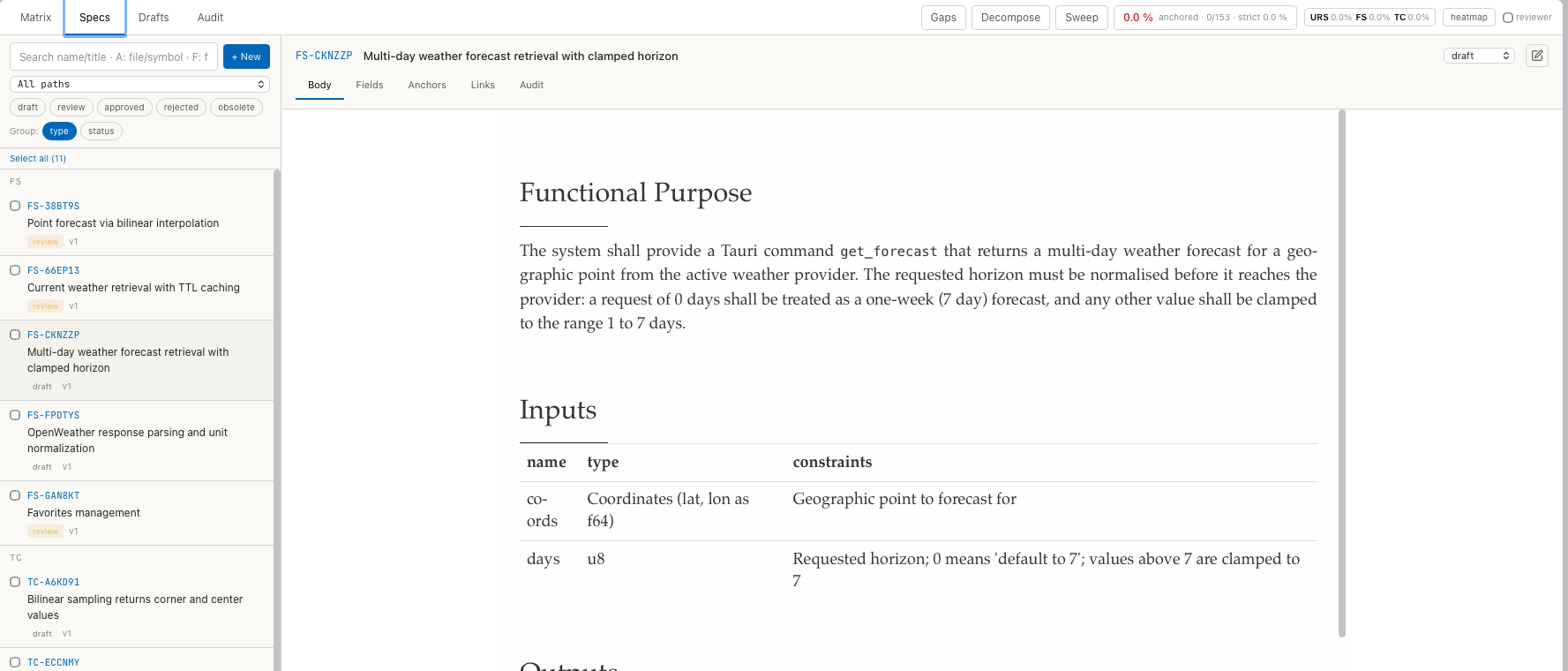
Tabs
| Tab | Content |
|---|---|
| Matrix | One row per requirement with its chain, anchors and gaps. See Traceability matrix. |
| Specs | The artifact list and the editor. See Write and maintain specs. |
| Drafts | Drafts generated from code, waiting for review. See Generate specs from code. |
| Audit | Audit bundles: create, open, verify. See Audit bundles. |
The view remembers the last tab.
Toolbar
| Control | Effect | Menu |
|---|---|---|
| Gaps | Opens the list of code symbols without full spec coverage. See Coverage. | View › Coverage Gaps |
| Decompose | Opens Capability Decomposition: groups of symbols that can become one spec. See Generate specs from code. | View › Capability Decomposition |
| Sweep | Opens Baseline Sweep: drafts for many groups in one run. See Generate specs from code. | View › Baseline Sweep |
| Coverage tile | Share of anchored symbols, for example 0.0 % anchored · 0/153 · strict 0.0 %. A click opens Coverage Drill-Down. | – |
URS FS TC | Share of symbols with an anchor of each type. | – |
| ⚠ N suspect | Appears when anchors are suspect. A click opens the gap list with the suspect filter. | – |
| heatmap | Opens the Graph view with the coverage colouring. | View › Coverage Heatmap (Auditor), View › Coverage Heatmap (Reviewer) |
| reviewer | Off: coverage counts only approved specs (auditor view). On: it also counts draft and review. | – |
With reviewer off, a project whose specs are all in draft or review
shows 0 % coverage.
Specs tab
Artifact list
| Control | Effect |
|---|---|
| Search field | Searches ID and title. A:<text> searches anchors (file or symbol), F:<text> the body text. |
| + New | Creates an artifact. See Create a spec. |
| All paths | Limits the list to one folder of the spec corpus. |
draft review approved rejected obsolete | Shows only artifacts with this status. A second click removes the filter. |
Group: type status | Groups the list by type or by status. |
| Select all (N) | Selects all listed artifacts for a status change. |
| Checkbox in a row | Selects the artifact. With a selection, a bar at the bottom offers a target status and Apply. |
Each row shows ID, title, status and version (v1). For a
sidecar profile the list shows the
anchor count instead of the status and offers all, ● anchored and
○ unanchored as filters. + New and the status filters are hidden.
Editor
The header shows ID and title, a status menu and, for specs in review under
a profile with signatures, Sign…. Below are five tabs:
| Tab | Content |
|---|---|
| Body | The Markdown text, rendered. The pencil button switches to editing. |
| Fields | The structured fields of the type, for example rationale and acceptance_criteria. Save fields writes them. |
| Anchors | The anchored symbols with their state. See Anchors. |
| Links | Links to other artifacts. |
| Audit | Every recorded event of this artifact: Timestamp, Actor, Kind, Hash, Payload. |
A banner above the tabs appears when the AI asks for a batch of artifacts to be approved. Review & Sign applies the request, Dismiss discards it. See Specs and the AI.
Menu entries
| Menu entry | Effect |
|---|---|
| Analysis › Open Specs & Audit View | Opens the view. |
| Analysis › Reset Specs (Drafts + DB)… | Deletes all artifacts, drafts, links, anchors, audit bundles and audit events of the exploration, on disk and in the database. Asks first. Cannot be undone. |
| View › Coverage Trace Depth, View › Coverage Density, View › Coverage Overlay Off | Further colourings of the Graph view. See Coverage. |