Run and build the project
The Run and Build buttons in the toolbar start the project's launch and
build commands in the terminal panel. The commands are stored in two files in
the project repository: .codeexplorer/run.toml and .codeexplorer/build.toml.
Set up the commands
- Choose Run › Edit Run Config… or Run › Edit Build Config…. If the file does not exist yet, Tracemoor creates it with an empty entry and opens it in the editor.
- Enter the command after
cmd. - Save the file (
Cmd+S, Windows/Linux:Ctrl+S).
Pressing Run or Build without a command has the same effect: a message appears and the file opens.
A file holds one or more entries:
[[config]]
name = "desktop"
cmd = "npm run desktop"
cwd = "."
default = true

[[config]]
name = "web"
cmd = "npm run dev"
env = { VITE_API = "http://localhost:8080" }
| Key | Meaning |
|---|---|
name | Name shown in the toolbar. |
cmd | Command line. It runs through your shell, so pipes and && work. |
cwd | Working directory, relative to the project root. Default .. |
env | Additional environment variables. Optional. |
default | Marks the entry that is preselected. Without a mark, the first entry is preselected. |
The files live in the project repository. Commit them to share the commands
with others working on the project. The AI can write them with the
run_config_write tool, for example when you ask it to find out how an
unfamiliar project is started.
Start and stop
| Control | Toolbar | Menu |
|---|---|---|
| Run | Run / Launch project (.codeexplorer/run.toml) (play icon) | Run › Run / Launch (Cmd+R, Windows/Linux: Ctrl+R) |
| Build | Build project (.codeexplorer/build.toml) (hammer icon) | Run › Build (Cmd+Shift+B, Windows/Linux: Ctrl+Shift+B) |
| Stop | Stop the running Run/Build process (circle icon) | Run › Stop |
With two or more entries in a file, a dropdown appears next to the button. Choose an entry there. The button and the menu command start the chosen entry.
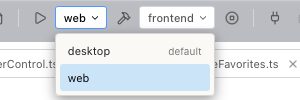
The buttons are active once the project is analysed.
The Run and Build tabs
Run starts its command in a tab named Run, Build in a tab named Build. The terminal panel opens if it is hidden.
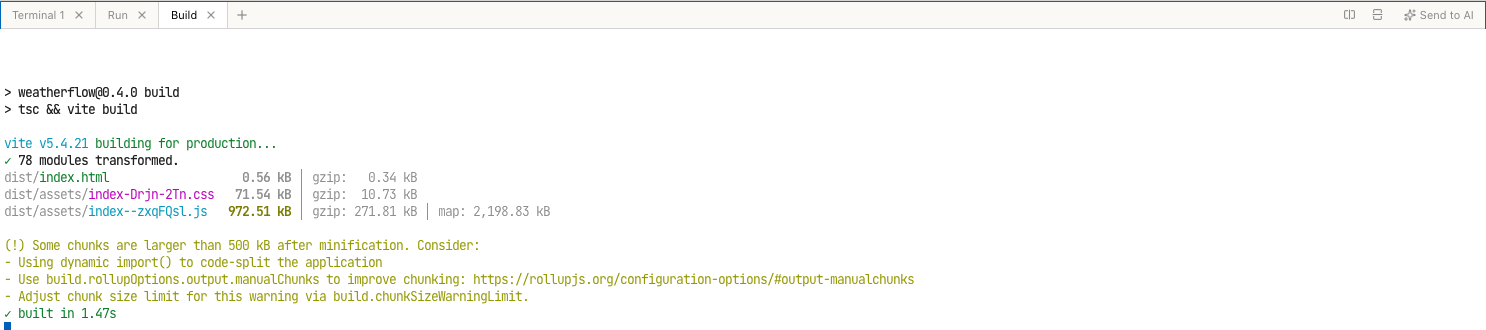
- Starting again reuses the tab. The previous process ends, and the new one starts on an empty screen.
- A command that runs until stopped, such as a dev server, keeps running until you press Stop or start it again.
- Stop ends the processes in all Run and Build tabs. Plain shell tabs are not affected.
- The command sees the same environment as a shell tab: on macOS and Linux it
runs through an interactive login shell (
$SHELL -ilc), soPATHsettings from.zshrcor.bashrcapply.
Limits
- One Run tab and one Build tab. Two run entries cannot run side by side from the toolbar. Start the second one in a terminal tab.
- Tracemoor does not evaluate the output. Test results and build errors are shown as text, not as markers in the editor.